Can a photo feel quiet? A five-minute phone exercise
A photograph can suggest quiet even when the place around you is busy. Try making that feeling with one everyday subject and the camera you already have.
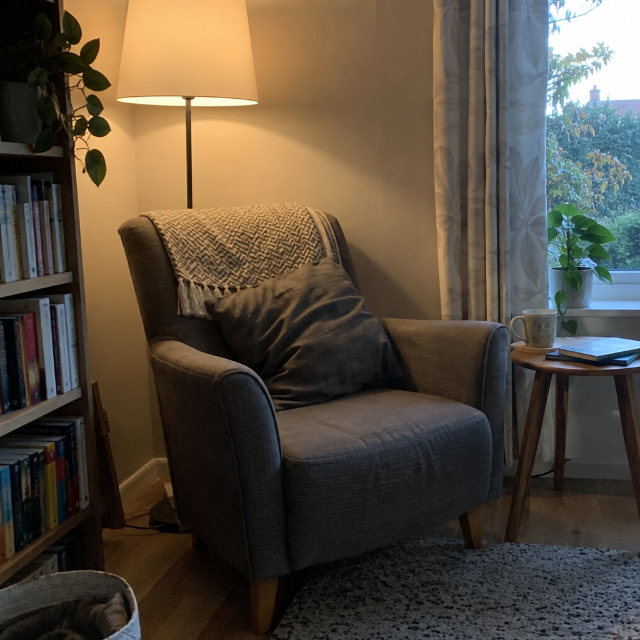
A leaf against a plain wall, an empty chair or a cup beside a window can be enough. You are choosing what the picture communicates; there is no single correct answer.
Already have a quiet photo you took? See whether it fits an open theme. Free beta · Sign in to enter · Photos, nicknames and scores are public. Age and permission rules apply.
1. Choose one small subject
Find something you can photograph comfortably where you are. Start with an object or plant that is staying still. Decide on three words for your picture, such as “soft, still, simple”. Keep that intention in mind as you frame it.
2. Look around the subject
Check the background and all four edges. Does a bright object pull your attention away? Move a little to one side or lower your phone and see what changes. Keep the context that helps your idea.
3. Take two viewpoints
Make one photograph with more of the setting and another closer to your subject. If your phone cannot focus, move back a little. Auto mode is fine for this exercise.
Compare the two photographs at the same size. Which one fits your three words? Choose one reason: perhaps the extra space feels calmer, or the closer frame makes a small detail easier to notice.
For a real example, compare creator DomHill’s original blue-circle photo with a labelled digital crop. The dark surface makes the circle easy to spot. The actual Beat AI tip suggested moving closer to show less of that surface. Use your own two frames to decide when the extra room helps.
4. Ask one useful question
If you want feedback, show the photographs to a willing friend and ask, “What three words would you use for this?” Their answer can help you see whether your intended feeling comes across. Different interpretations are useful too.
Try one photo on Beat AI
Choose a theme that is still open and read its brief. A matching original from your camera roll can be your entry. A photo with room around a small subject may fit a brief about space. Check the actual theme before uploading.
Choose an open theme, sign in and enter one original, non-AI photograph you took with your phone or camera.
After safety checks and AI judging, look in You → Your photos → Try this next for an available subjective tip. Choose one idea to practise in a fresh photograph on a later day. Checks may be delayed.
Free beta. Entered photos, nicknames and scores are public. Current age, permission and upload rules apply. You can also practise privately without entering.
Next exercise: choose between several photographs with a contact sheet.
Stuck while entering? Ask for help or send private owner feedback. No account is needed to use that form. Tell us the step, what you expected and what happened. Please leave out passwords, private photos and unnecessary personal details.


Comments
Post a Comment